Forms Map
The Forms Map page displays your form submissions on an interactive map, allowing you to visualize data geographically. You can filter submissions by date and by specific data fields to focus on the information you need.
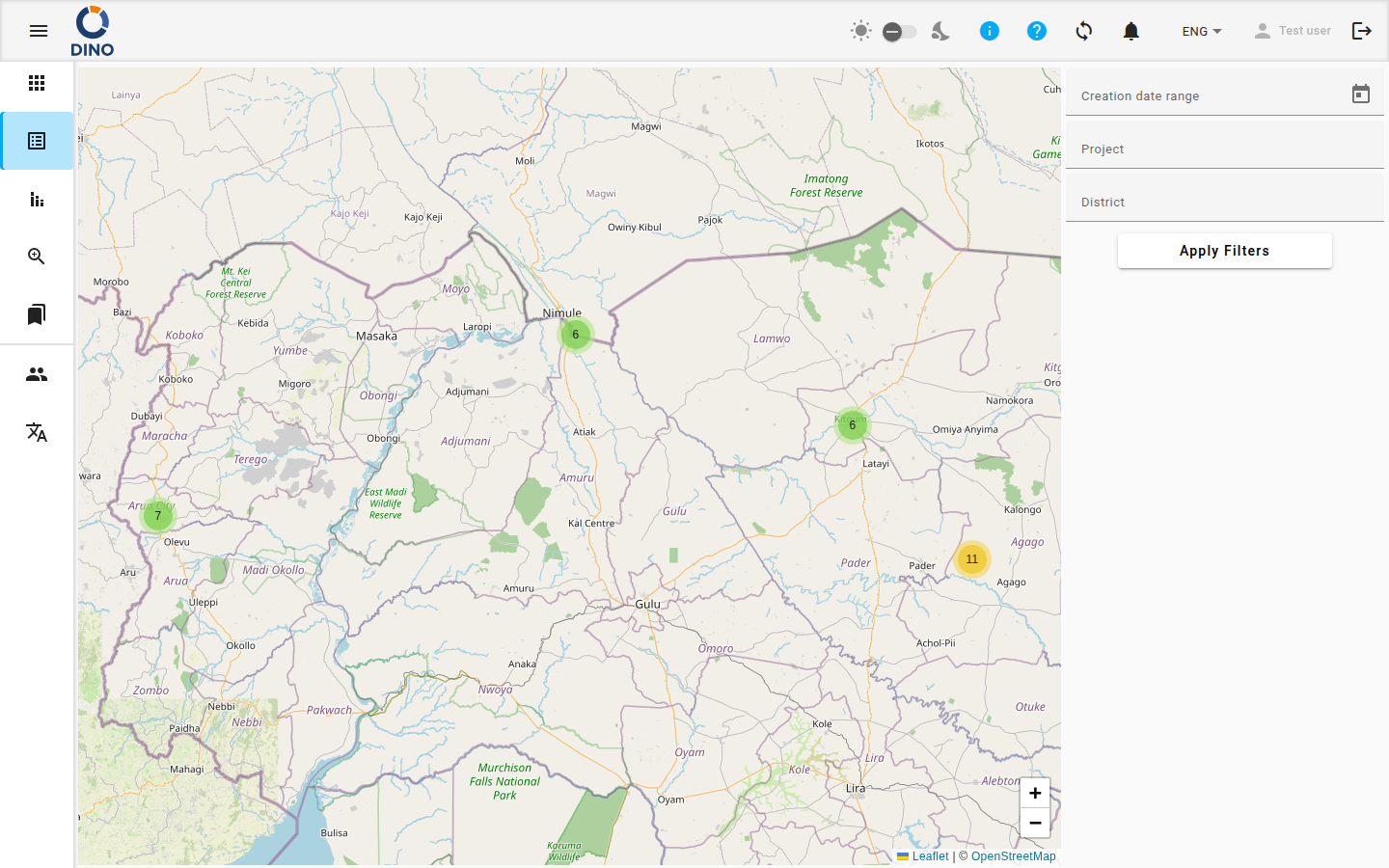
The page consists of two main areas:
- The Map: An interactive map showing clustered markers for each submission. Each marker is placed based on the location data in the submission.
- The Filters Panel: A set of controls on the side to filter the data shown on the map.
Viewing Submission Details
Each marker on the map represents one or more submissions at a specific location.
- Click on a marker to open its popup.
- The popup displays the location name and the values for key data fields from that submission.
Filtering Submissions on the Map
Use the filters to narrow down which submissions appear on the map.
1. Filter by Date Range
- In the Date range field, click the calendar icon.
- Select a start date and an end date in the date picker.
2. Filter by Data Fields
Below the date picker, you will see several text input fields. Each field corresponds to a data column from your form (e.g., "Point of care", "Nationality").
- Click into any field (e.g., "Nationality").
- Start typing. A dropdown list will show matching values from your existing data.
- You can either select a value from the list or type your own text to filter for submissions containing that text.
- To clear a filter, click the X icon that appears inside the field.
Using Multiple Filters
You can apply filters across multiple fields simultaneously. The map will only show submissions that match all the active filter criteria.
3. Apply Your Filters
After setting your date range and field filters, click the Apply Filters button.
The map will refresh, showing only the markers for submissions that match all your selected criteria. The map view will also automatically zoom to fit the filtered markers.
Location Data Required
Submissions can only appear on the map if they have valid geographic coordinates associated with their location. Submissions without this data will not be displayed.